"No Interfaces Found" when choosing an interface
When attempting to add a target using SNMP, you get the following error on the Interface selection screen:
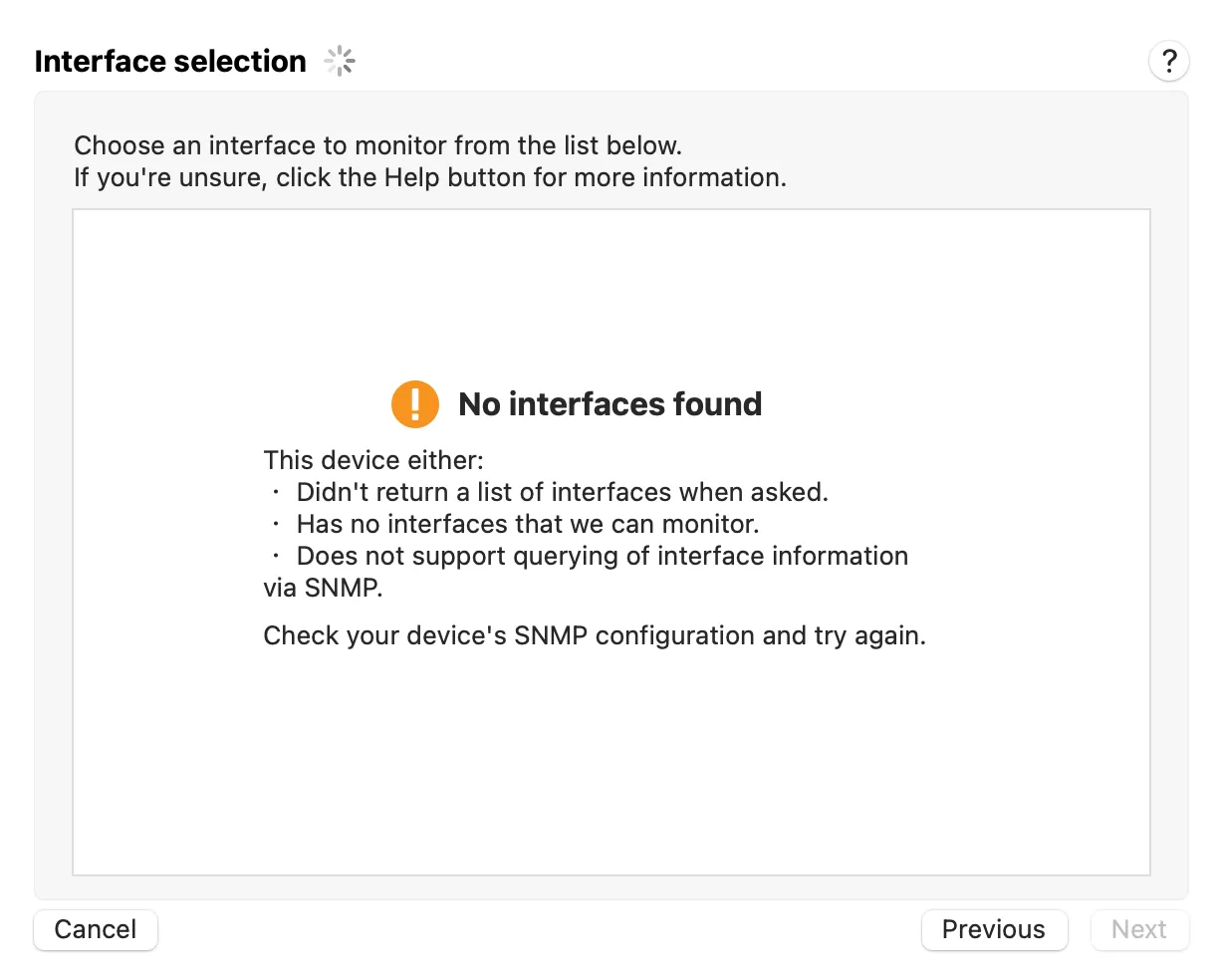
What does this error mean?
Section titled “What does this error mean?”The most often reason for getting this error in inadequate permissions with the SNMP device you’re talking to.
Some reasons for this include:
-
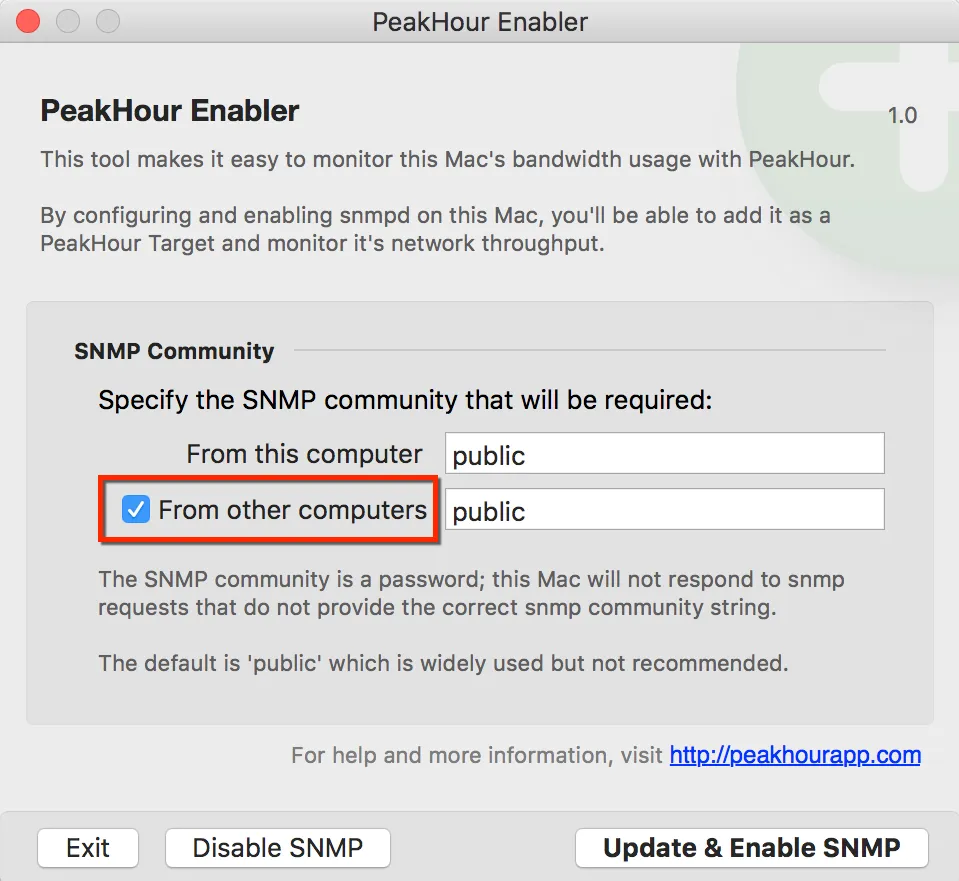
You enabled SNMP on your Mac using Monitor Another Mac (PeakHour Enabler) but you didn’t enable the “From other computers” checkbox
-
You’re using an incorrect SNMP community.
How can I fix it?
Section titled “How can I fix it?”Some steps you can take to try to fix it:
-
Make sure you are entering the correct SNMP community / password.
-
If you used PeakHour Enabler and didn’t check the From other computers checkbox, make sure you are clicking Add SNMP Device… and are specifying ‘localhost’ as the hostname.
If this doesn’t work, run PeakHour Enabler again, enable the From other computers checkbox and try again.
Was this page helpful?
Found something wrong, unclear, or out of date? Let us know and we'll fix it.